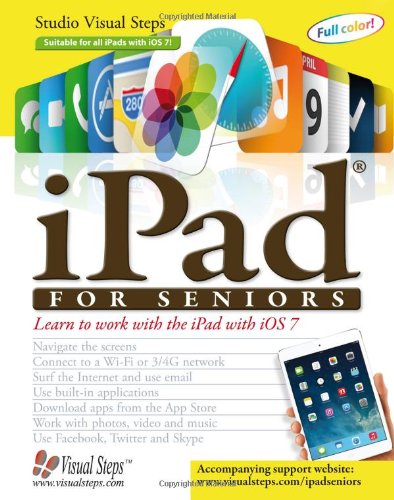
iPad for Seniors: Learn to Work with the iPad with iOS 7 by Studio Visual Steps

iPad for Seniors: Learn to Work with the iPad with iOS 7

Studio Visual Steps
Visual Steps Publishing; 2nd New edition edition
Nov 2013
WSBN
0
Readers
0
Reviews
0
Discussions
0
Quotes
Written specifically for older individuals who want to use iPads with the new iOS 7 operating system, this guide follows an easy, step-by-step approach that has been tested by seniors and is based on practical experience. It teaches novice users how to connect to Wi-Fi and mobile data networks, surf the internet, e-mail, take notes, plan routes, manage a calendar, take and share pictures, work with videos and music, and browse for and use a wide variety of apps--including game, puzzle, newspaper, magazine, fitness, and photo-editing applications. This complete primer for the iPad 2, the third generation New iPad, the fourth generation iPad, iPad Air, iPad mini and the iPad mini 2contains more than 800 screenshots, detailed instructions, large print, an extensive index, and a link to the support website.
Join the conversation

No discussions yet. Join BookLovers to start a discussion about this book!

No reviews yet. Join BookLovers to write the first review!

No quotes shared yet. Join BookLovers to share your favorite quotes!

Earn Points
Your voice matters. Every comment, review, and quote earns you reward points redeemable for Bitcoin.
Comment +5 pts Review +20 pts Quote +7 pts Upvote +1 pt
BookMatch Quiz
Find books similar to this one
About this book
Publisher Visual Steps Publish...
Published 2013
Readers 0